Features
Everything in VegLog, from first sowing to last harvest
Plan the beds, time the sowing, keep up with the jobs and remember what worked. Here's how each part of the app helps.
Today
This week's jobs, sowings and pickings in one place
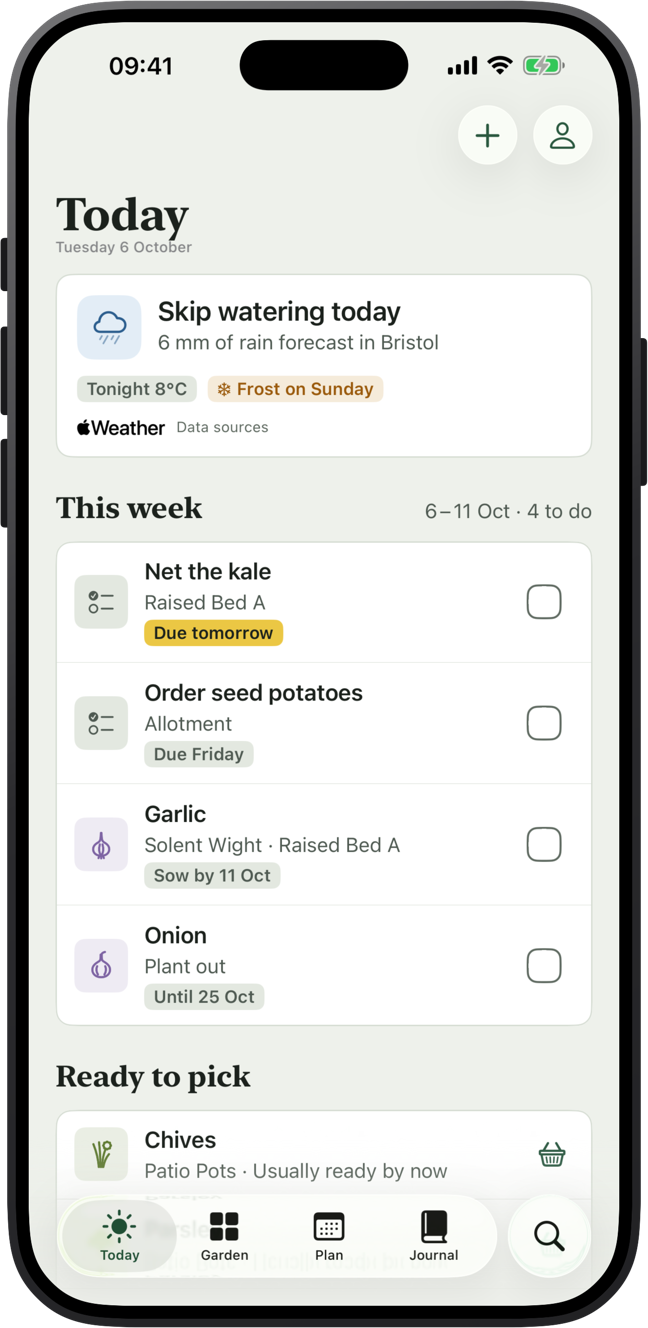
Open VegLog and Today shows what needs doing this week: sowings that are due, your own to-dos, and crops that should be ready to pick.
It reads your local forecast and turns it into plain advice. Fleece tender crops on a frosty night, water early on a hot day, skip watering when rain is coming.
- A round-up of the week ahead every Saturday morning
- A frost alert the evening before a frost, in time to cover plants (Pro)
- Home Screen widget with this week's jobs to tick off, plus Lock Screen widgets
- Ask Siri what's due in your garden
Bed planner
Draw your beds to scale, in any shape
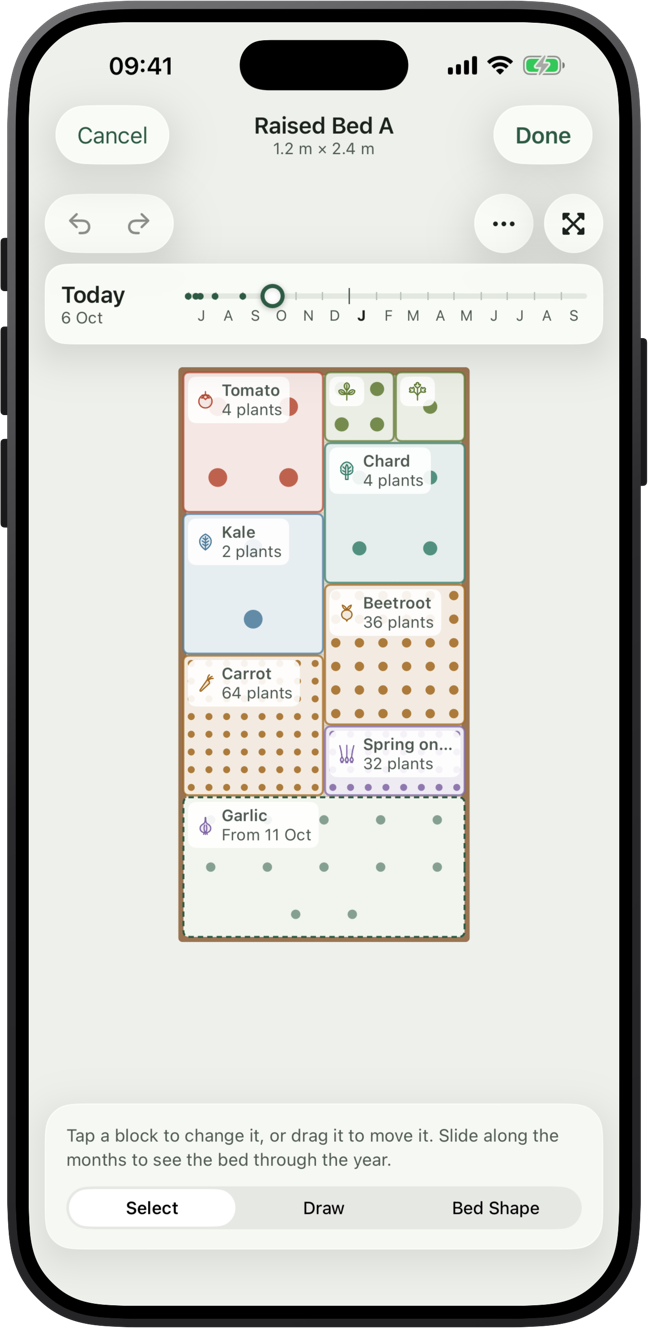
Raised beds, garden beds, allotments, greenhouses, polytunnels and pots. Make them rectangular, round, L-shaped or draw your own outline, at their real size in metres or feet.
Lay crops out in squares, blocks or rows. VegLog uses each crop's spacing to show how many plants fit in a block, so you buy the right amount of seed.
- Slide through the year to see what's in the bed on any day
- See what could go in when a crop comes out
- Share a picture of your bed
Advice as you plan
Spots the problems before you plant
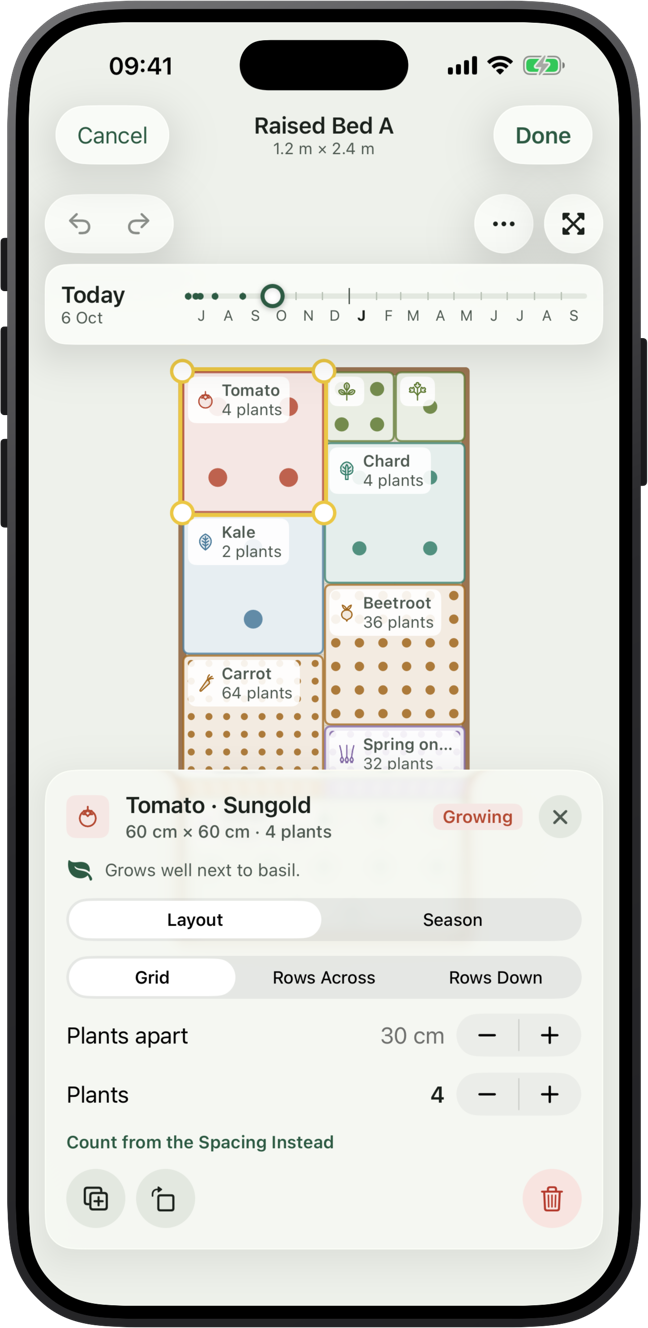
As you lay out a bed, VegLog checks your plan the way an experienced grower would.
- Good and bad neighbours
- Crop rotation, so a family doesn't go back where it grew last year
- Frost risk for tender crops planted out too early
- Crowded spacing, and crops out of season
Start from a template, such as a salad bed, the three sisters or kitchen herbs, or pick the crops you want and let VegLog suggest a plan.
Sowing dates
Timed to your town's frost dates
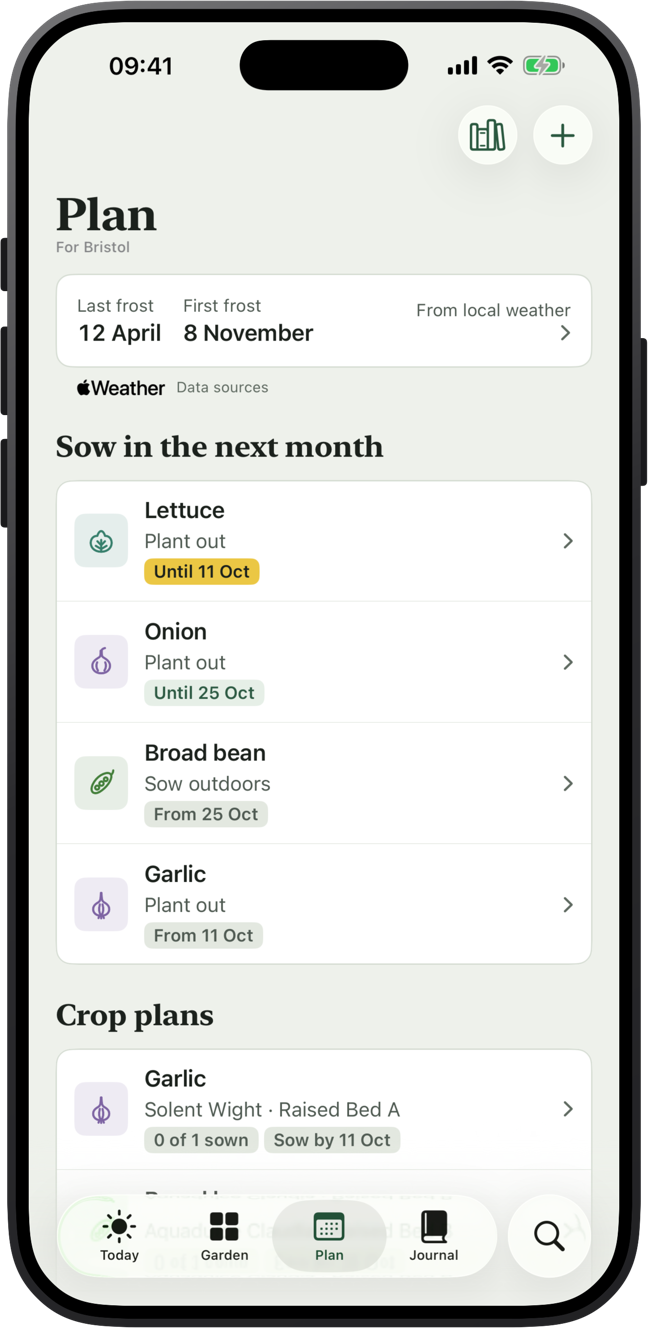
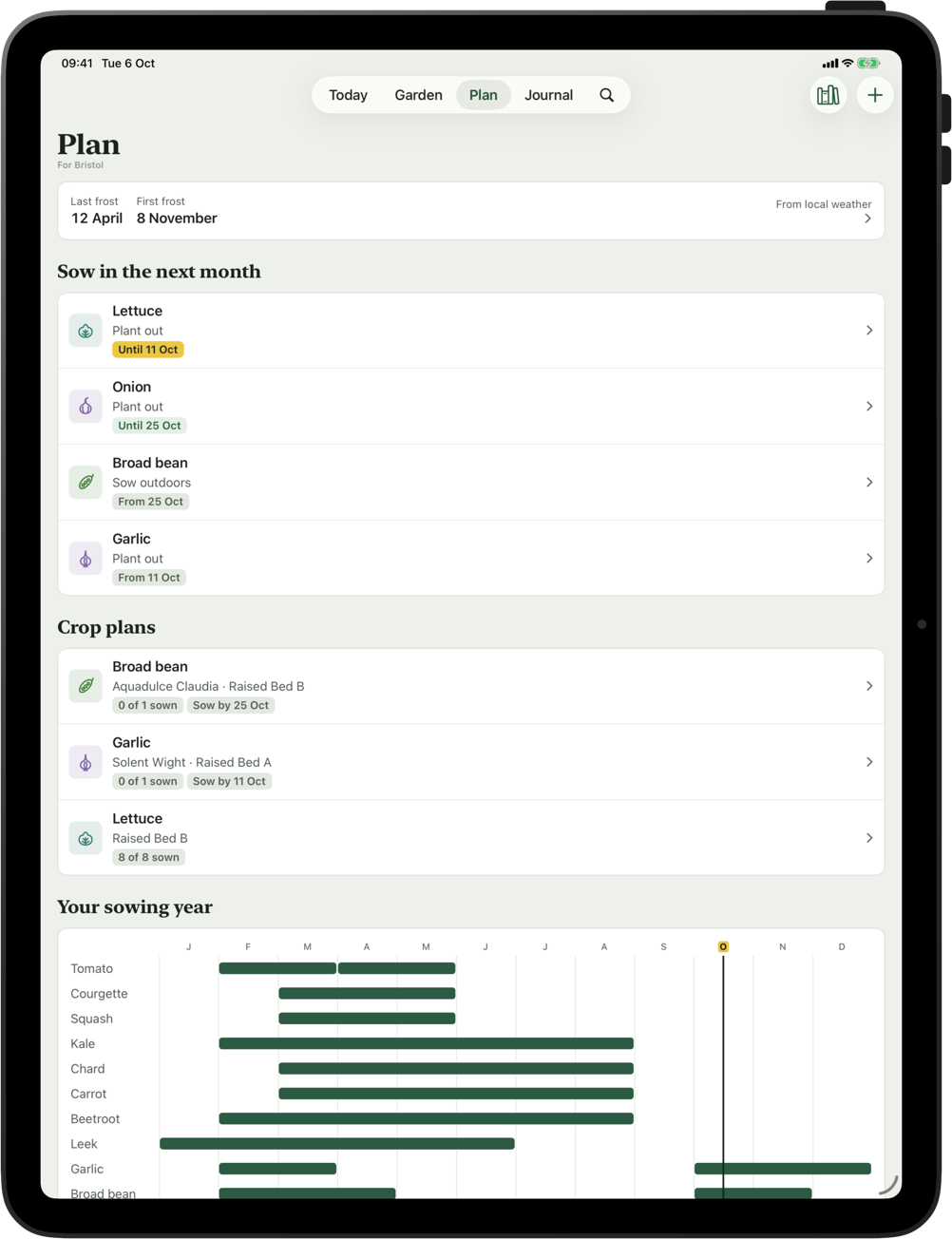
Choose your town and VegLog works out your average last spring frost and first autumn frost from the last few years of Apple Weather data. Prefer your own dates? Type them in.
Every crop's sowing, planting and harvest window is then set around those dates, so a garden in Aberdeen and a garden in Penzance each get the right advice.
- Sow now: everything you can sow this month
- The sowing calendar for the whole year (Pro)
- Crop plans with succession sowings and reminders, so there's always something coming ready (Pro)
Crop library
114 crops, and room for yours
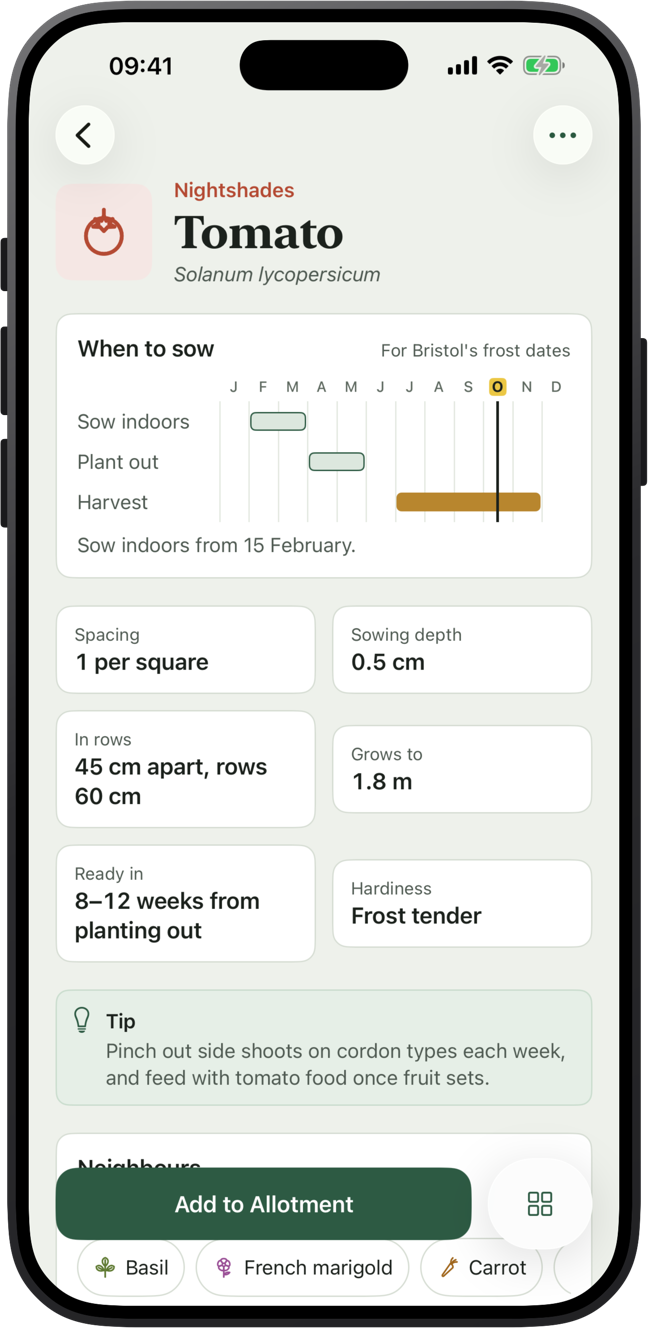
Vegetables, herbs, fruit and flowers, each checked against published growing advice. Every crop has its sowing chart, spacing, sowing depth, height, hardiness, good neighbours and a growing tip.
Grow a variety that matures early, or sow deeper on sandy soil? Change any crop to suit your garden, or add crops of your own.
Journal
A record of every season
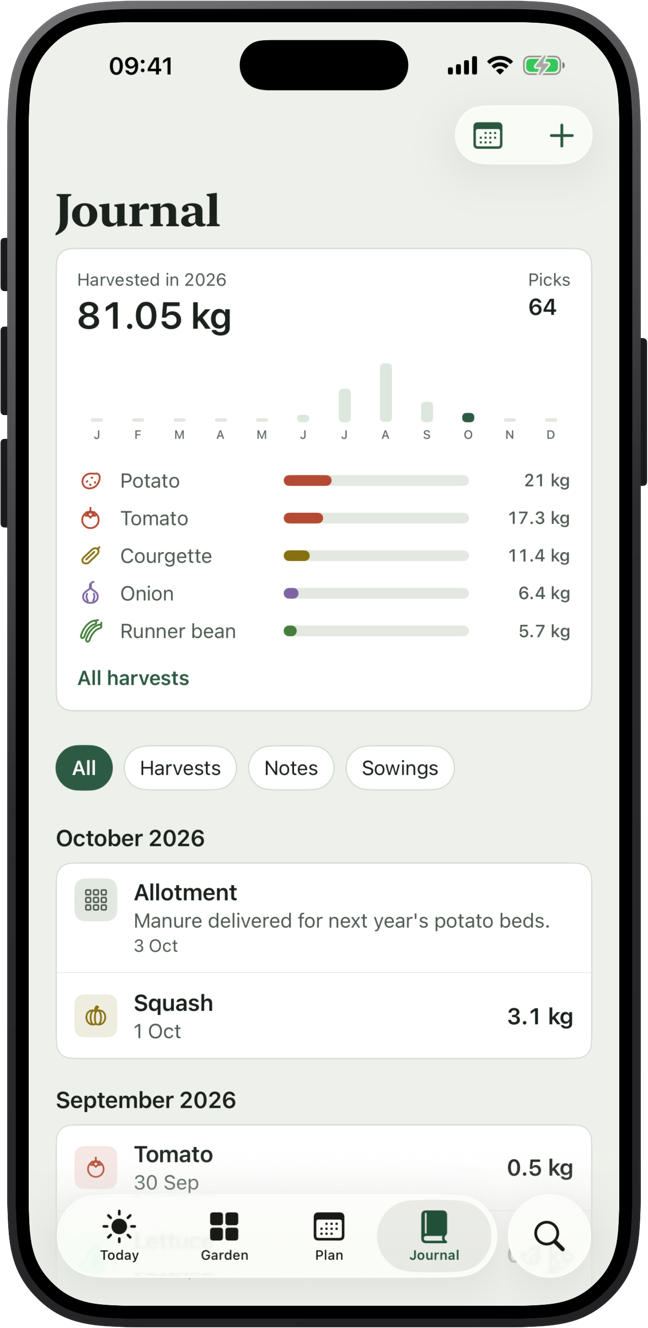
Log plantings, harvests by weight, notes and photos as you go, then look back through your year month by month.
Harvest totals by crop and by bed show what earned its space, and what to grow more of next year (Pro).
- Log a harvest by voice with Siri
- Metric or imperial weights
Your garden
Every bed, plot and pot at a glance
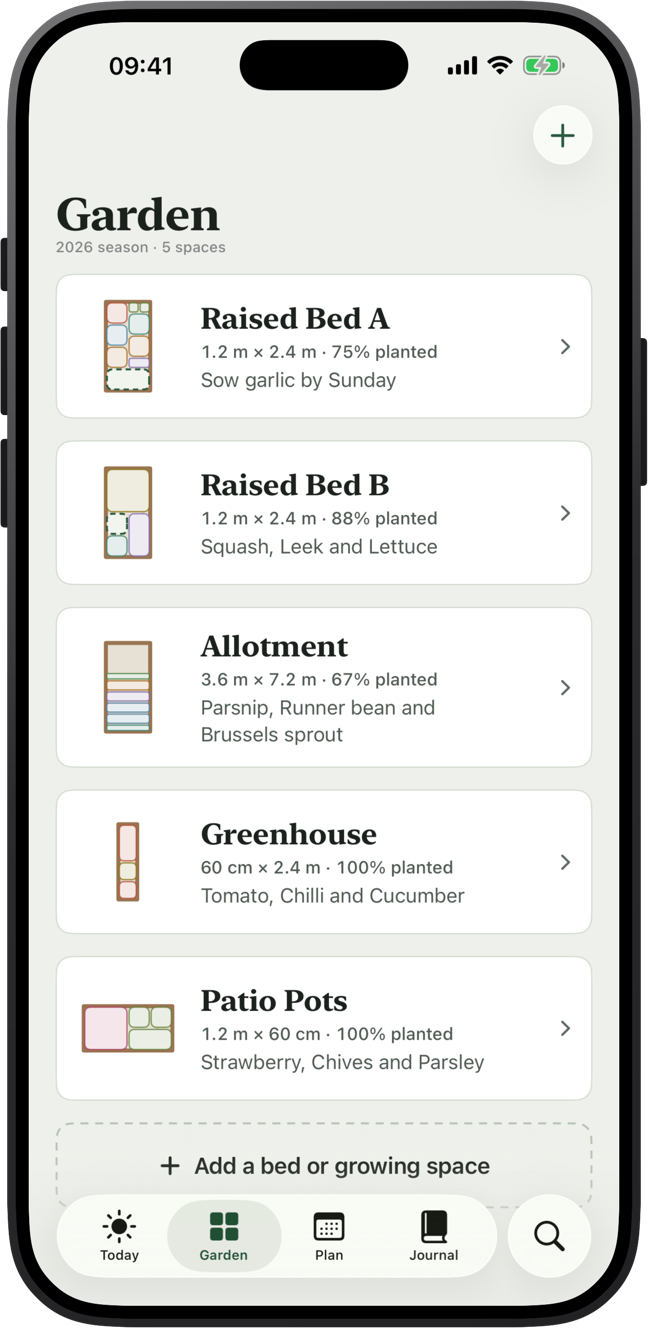
See all your growing spaces together, how full each one is, and what's next for it. Tap into any bed to plan it.
VegLog is free for one growing space. VegLog Pro adds as many beds, greenhouses and pots as you like.
iPhone and iPad
Plan at the table, check it on the plot
The big screen is made for planning a whole season. Your phone comes to the garden. iCloud keeps both up to date, with no account to create.
- No ads, no account
- VegLog never asks for your location
- In English, German, French and Spanish

Plan your garden in an evening
Draw your beds, pick your crops and VegLog sets the dates. Free for your first growing space.